How to place an order
Step 1. Choose your piece
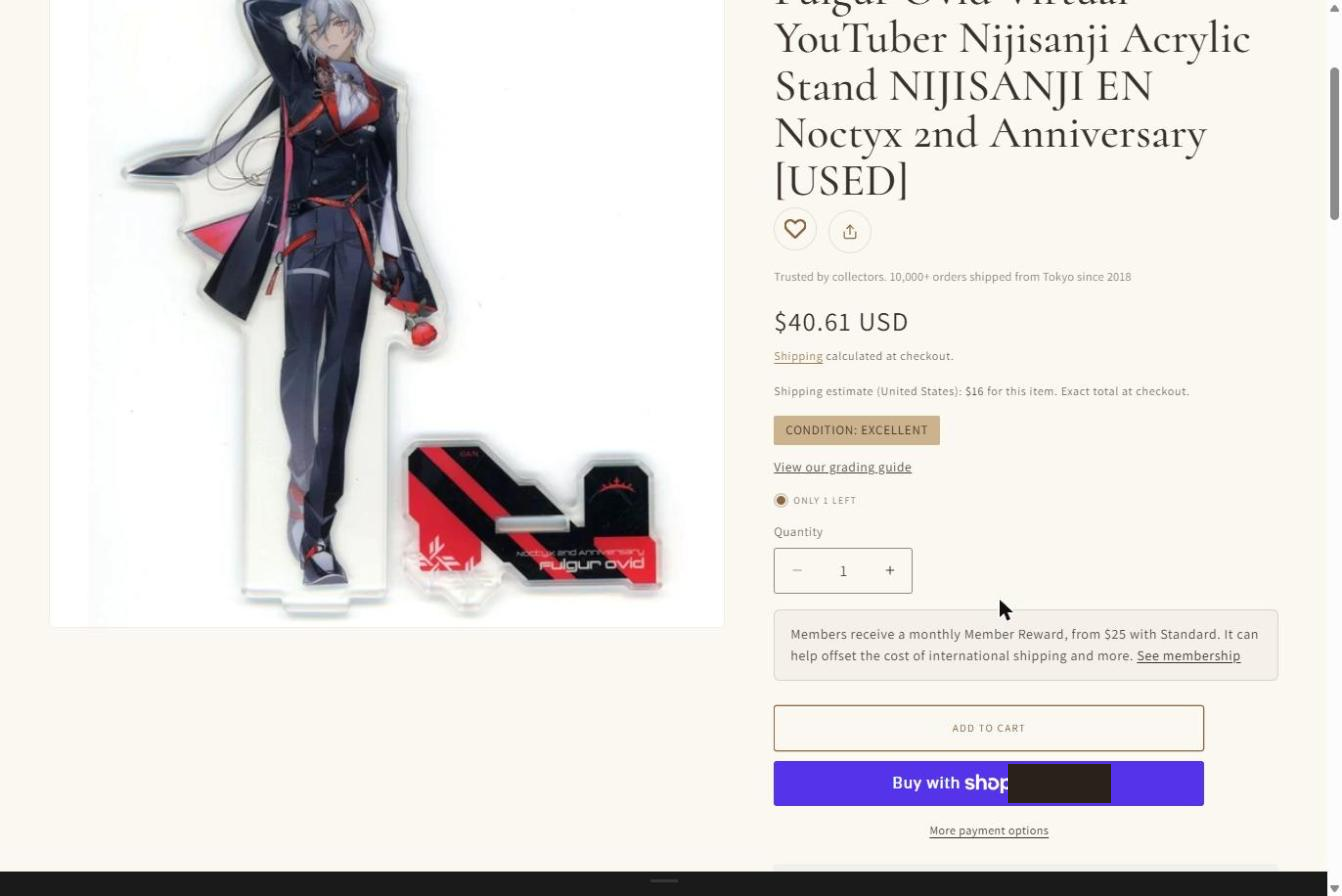
On the product page, check the price, the condition grade, and the curator's notes. Choose the quantity, then select "Add to cart".
Step 2. Review your cart
Your cart opens on the side of the page. Here you can change the quantity or remove an item. When you are ready, select "Check out". To keep browsing, simply close the cart.
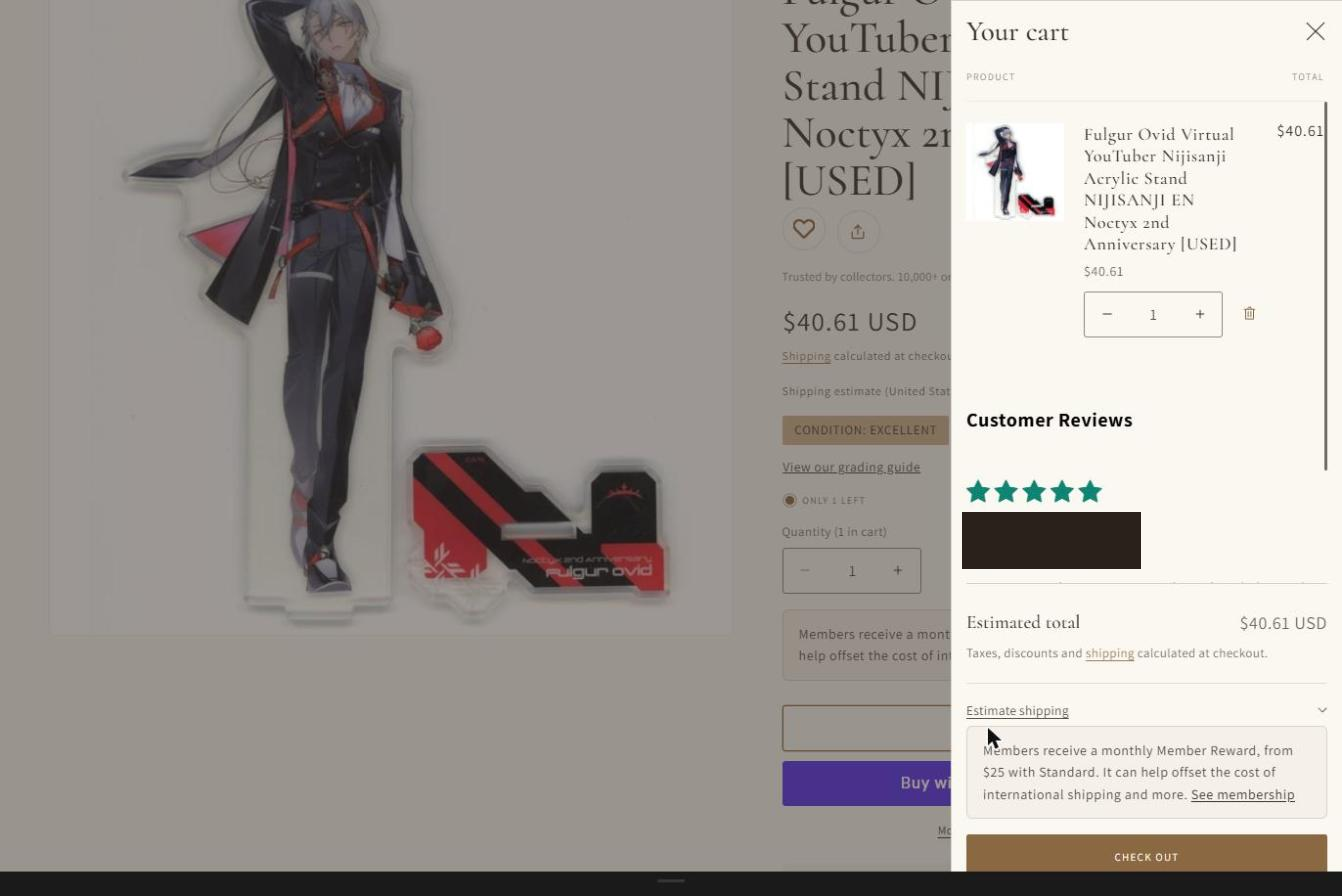
You can also open the full cart page at any time from the bag icon at the top of the page. It shows your estimated total. Taxes and shipping are calculated at checkout.

Step 3. Enter your details at checkout
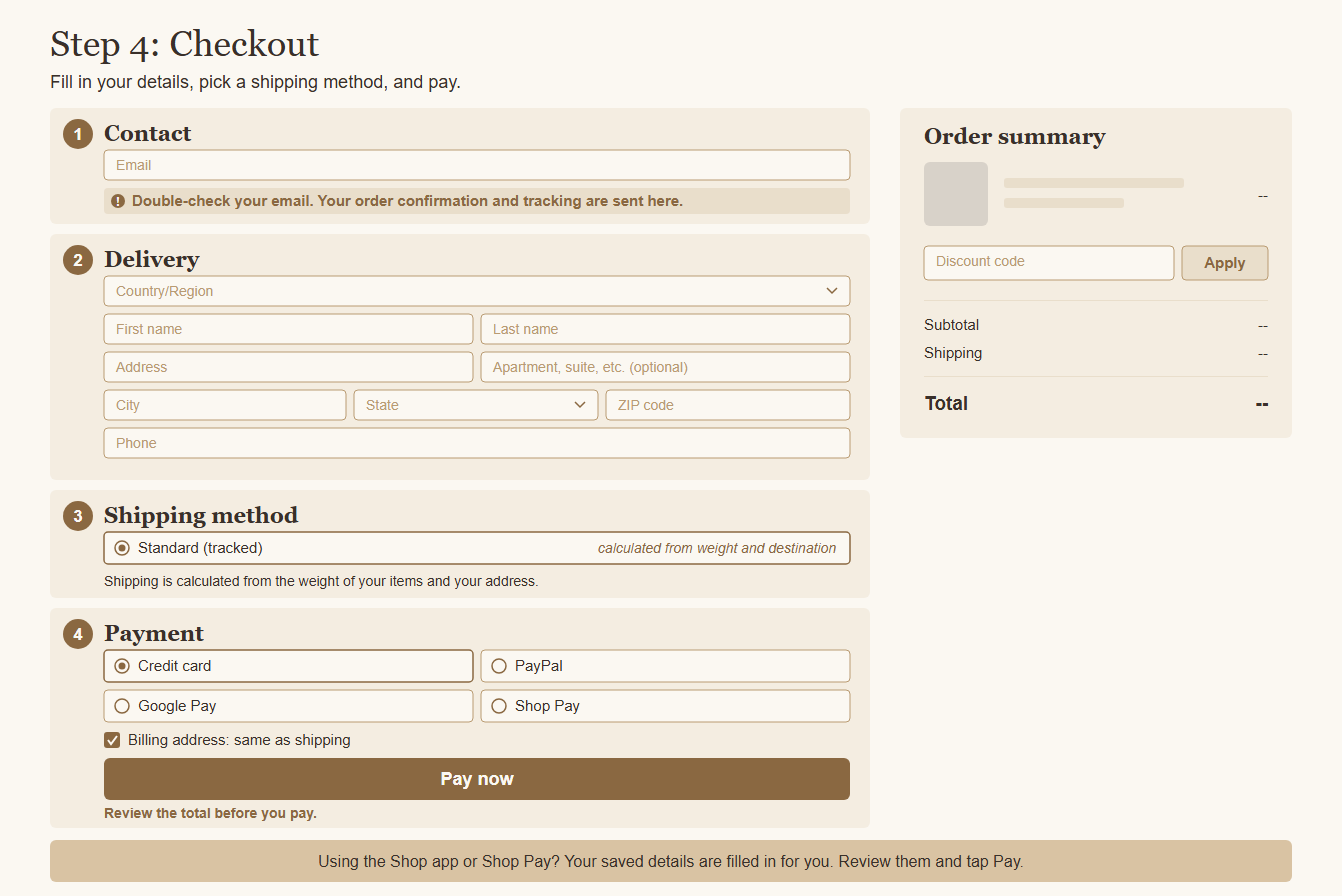
- Email address: your order confirmation and tracking emails are sent here. Please check the spelling carefully.
- Shipping address: enter the full address, including the postal code and a phone number. Shipping is calculated from the weight of your order and your destination, and the exact amount is shown before you pay. The carrier is chosen by us based on your destination and parcel, so it cannot be selected at checkout.
- Payment: choose your payment method and enter the details on the secure checkout page.
- Tip: the tip section is optional. You can choose "None".
- For orders to the United States, import duties and taxes are collected at checkout. For other destinations, duties and taxes are billed separately by the carrier or customs in your country.
Step 4. Place your order
Check the total, then select the button to pay and complete your order. You will see a thank-you page with your order number, and an order confirmation email is sent to the address you entered. The email includes a link to your order status page.
Shopping in the Shop app
If you use the Shop app, open the product and tap the buy button, or add it to your cart, and pay with Shop Pay. Your saved address and payment details are filled in for you, so please check that the shipping address is correct before you confirm. After you order, you can follow your order status in the app as well as in your confirmation email.